
Welcome to the Step Up Japanese blog archive!
Although I’m not currently adding new posts to the blog, you’ll find plenty of Japanese learning tips, study advice, and resources to explore here.
Browse the blog index to view a complete list of posts.
For the latest news, course updates, and Japanese learning tips from Step Up Japanese, sign up for my newsletter.
Search this blog:

Useful Apps to Download Before Your Trip To Japan (2019 Update)
If you just love missing your bus because you waited in the wrong place, overpaying for things because you can't remember the exchange rate, or wandering around for hours looking for a wi-fi spot in vain - stop reading now, because this one's not for you.
I'd like to share with you five super-useful apps to download before you travel to Japan!
Whatever you've got planned in Japan, these apps should get you well-prepared.
If you just love missing your bus because you waited in the wrong place, overpaying for things because you can't remember the exchange rate, or wandering around for hours looking for a wi-fi spot in vain - stop reading now, because this one's not for you.
I'd like to share with you some super-useful apps to download before you travel to Japan!
Whatever you've got planned in Japan, these apps should get you well-prepared.
1) Norikae Annai - in English!

Norikae Annai is Japan's most-downloaded travel app. It's easier to navigate than Hyperdia, much more nicely designed and more user-friendly. The catch used to be that it was only available in Japanese. But now it’s available in an English version too, called Norikae Annai - Japan Transit Planner.
Norikae Annai - Japan Transit Planner: App Store | Google Play
2) Tokyo Subway Navigation

I LOVE the Tokyo Subway Navigation app, because as well as transfer information it also has a fully offline, pinch-and-zoom map of - you guessed it - Tokyo's metro system.
Good for getting to grips with (what often seems like) the world's most complex underground rail system!
Tokyo Subway Navigation: App Store | Google Play
3) Apps for Free Wi-Fi

Even if you don't want to be connected all the time, you'll probably want wifi at some point on your travels. Japan Travel by Navitime is an app with an offline map showing free wifi spots. It also has free downloadable offline maps of all the major cities in Japan.
Japan Connected-free Wi-Fi, similarly, has an offline map showing free wifi.
(Or you could just do what I do on holiday and stand outside McDonalds pretending to wait for someone while actually using the free internet. That's cool too, right?)
Japan Travel by Navitime: App Store | Google Play
Japan Connected-free Wi-Fi: App Store | Google Play
4) XE Currency

Not Japan-specific, but definitely useful.
Until the exchange rate hits a nice easy number like 100 yen to the pound, you'll probably want a currency converter so you can figure out how far your spending money's going to go. And the XE converter works offline, too.
XE Currency: App Store | Google Play
So that's what's in my "essential Japan travel apps" folder! What's in yours? Let me know in the comments.
First published March 2016; updated 15 October, 2019
How to Use Anki to Not Forget Vocabulary
Lots of you probably use flashcards already. Why not use really, really clever ones?
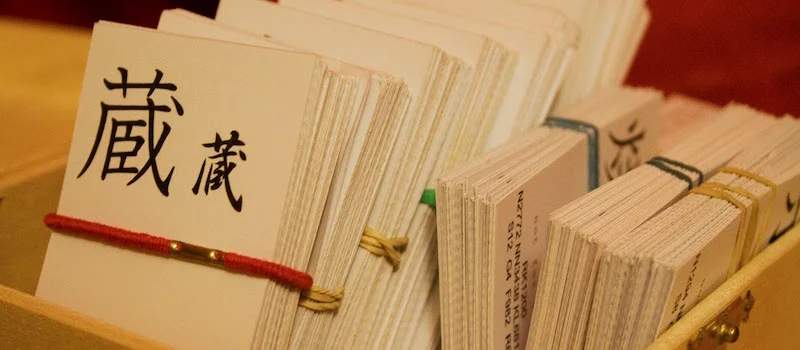
Imagine you're studying Japanese vocabulary with a set of flashcards. You go through the cards one by one, putting them into a "pass" pile if you remembered them, and a "fail" pile if you didn't.
When you finish, you work through the "fail" pile again. You get about half of them right.
The next day, you go through all the cards again. It takes ages, and it's boring - you did all these yesterday…

You want to use flashcards. Why not use really, really clever ones?
Imagine you're studying Japanese vocabulary with a set of paper flashcards. You go through the cards one by one, putting them into a "pass" pile if you remembered them, and a "fail" pile if you didn't.
When you finish, you work through the "fail" pile again. You get about half of them right.
The next day, you go through all the cards again. It takes ages, and it's boring - you did all these yesterday.
Or maybe you start with the "fail" pile. But this card pile is smaller, so when the cards come up, you just remember the fact that you failed them yesterday!
This approach is okay, if you’re enjoying yourself. (Anything is okay, as long as you're having fun. This is my basic approach to language learning).
But you can make flashcards much more efficient - and stop wasting your time - with a spaced repetition system like Anki.
The power of active recall
When you use flashcards to test yourself, you're engaging in active recall - you're pushing your brain to remember something. This is the most effective way to commit things to memory.
You know that feeling when you're struggling to remember a word, and then finally get to it? That's active recall.
At that moment, you've just cemented the correct meaning of the word in your mind. And you'll remember it much quicker next time.
What is Anki?
Anki is a spaced repetition system (SRS) - a system for remembering things. It's free for PC / Mac, and Android. The iPhone app is not free (it’s £23.99), so I'd try it out on a computer first and see if you like it.
(Then again, it might be the best £23.99 you ever spend...)
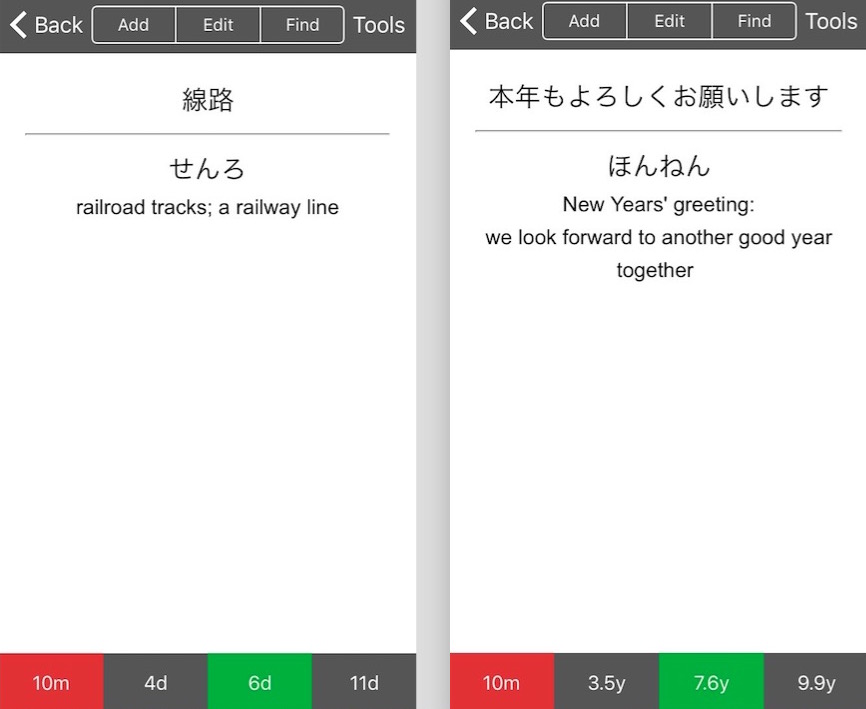
Anki shows you digital flashcards and tests you. It then spaces out the cards into the future, depending on how difficult you found them.
If you don't remember a word, Anki shows you it again in 10 minutes.
If you said it's easy, it might show you in three days. If in three days it's still easy, it waits seven days before it tests you on that word again.
If you keep getting it right, the interval increases exponentially, until Anki knows it'll be years before you forget that word. When you get it wrong, Anki knows you need to practice that word again soon.
So Anki sorts the “piles” of flashcards for you, testing you on material just as it thinks you're about to forget it.
I told you it was clever.
What to study?
Anki has shared decks that you can download - sets of flashcards made by other users.
If you're studying for the JLPT, there are loads of decks for that. And whatever Japanese textbook you're using, there'll be an Anki deck for it.
You probably don’t want to memorise every word in your textbook - maybe you don't think you need the word for "municipal hospital", or you want to focus on certain areas. Just delete the cards you don't need.
Or you can make your own decks by adding your own material. That's probably the best approach.
Maybe you want to memorise verb conjugations (masu form to -te form; -nai form, etc). Or maybe you just can't remember the difference between ウ and ワ. Stick it in your Anki deck, and forget about forgetting things.

What not to study
A word of caution - don't try and memorise things you don't understand yet.
For example, let's say in your textbook there's a chart giving the -nai forms of common verbs. You could put those in your anki deck and memorise them, I guess.
But it's no use if you don't know what the -nai form is and how it's used. Learn what it is - practice it, speak it, own it - and use spaced repetition to help you remember.
A useful companion
I tried to use Anki to re-learn some French last year (my high school French class was a long time ago).
I downloaded a beginner French deck, and I'd sit on the train testing myself on vocabulary. It helped a bit, but I didn't magically learn to speak French! That's basically because I never tried to produce any French in that time. I didn't speak with anyone or write down anything in French...
To master a language, you need to speak out loud, and listen a lot.Spaced repetition is a brilliant tool and a companion to learning. But it's not everything... you need to actually practice too.
I'd love to know how you're getting on with Anki. Do you love it or hate it? Tweet me a screenshot of your cards, or let me know in the comments.
First published May 08, 2017
Updated October 09, 2018
















Like many people in the UK, I studied French in school. I liked French. I thought it was really fun to speak another language, to talk with people, and to try and listen to what was going on in a new country. (Still do!)
When I was 14 we went on a school exchange to the city of Reims, in northeastern France. I was paired with a boy, which I’m sure some 14-year-olds would find very exciting but which I found unbearably awkward. He was very sweet and we completely ignored each other.
That was nearly 20 years ago, and I didn’t learn or use any more French until, at some point in lockdown, I decided on a whim to take some one-to-one lessons with online teachers. Here are some things I learned about French, about language learning, and about myself.